> For the complete documentation index, see [llms.txt](https://help.foreverfanmusic.com/llms.txt). Markdown versions of documentation pages are available by appending `.md` to page URLs; this page is available as [Markdown](https://help.foreverfanmusic.com/account-and-billing/artist-profile-and-connections.md).
# Artist Profile and Connections
What you can change yourself, and what our team changes for you with one click.
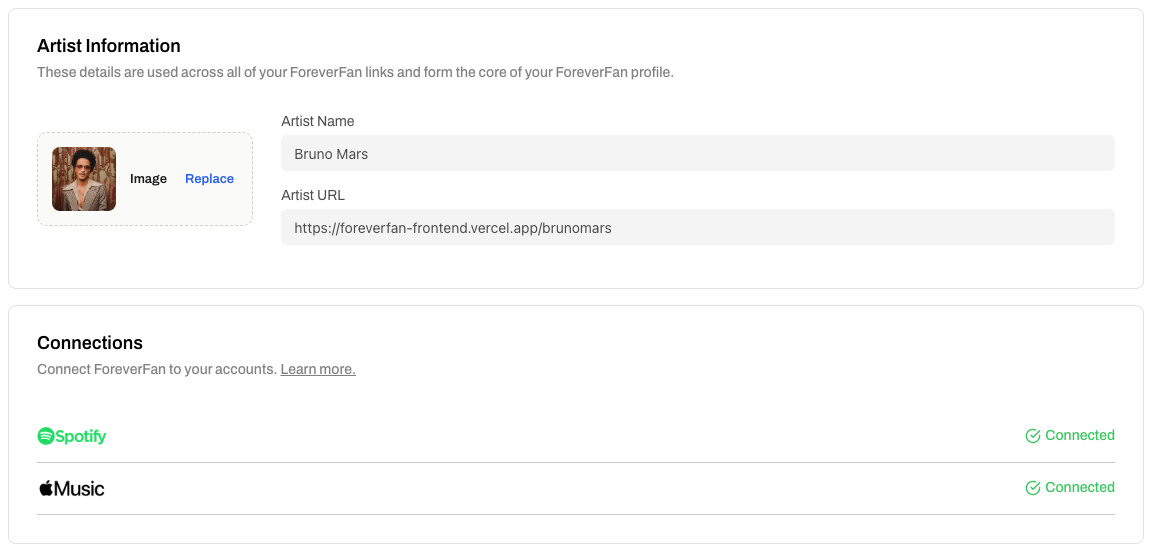
Your artist details live in **Settings**, under **Artist Information** and **Connections**. Some things you change yourself, and some go through our team. Here is the split.
## What you change yourself
Your **profile photo**. In the Artist Information section, click your photo to upload a new one. That is the only detail you edit directly, and it takes effect right away.
## What our team changes for you
Four things go through us:
* Your **artist name**
* Your **artist URL**
* Your **Spotify** connection
* Your **Apple Music** connection
Each one has a button in Settings. For your name or URL, it is a button in the Artist Information section. For Spotify or Apple, it is the **Connect** button in the Connections section (if a service is already linked, that row shows **Connected** instead).
Clicking any of them opens a prefilled email to with the request laid out. Send it, and our team verifies the change and makes it for you.
{% hint style="info" %}
For Spotify and Apple, link your **artist profile**, not a song. The right URL looks like `open.spotify.com/artist/...` or `music.apple.com/us/artist/...`. This is what lets presaves follow your profile.
{% endhint %}
## Why your name and URL go through us
Your artist URL is printed on everything you have ever shared: your bio link, your posts, your merch, your presave campaigns. If it changed by accident, every one of those copies would break. Your name works the same way, since your URL is often built from it.
So we verify these by hand before making the switch. It is a small step that keeps a stray edit from taking your links down.
## No profile yet?
If you do not have a Spotify or Apple artist profile yet, that is fine. Those fields are optional when you set up your account. Once your real profiles exist, email and we will connect them.