> For the complete documentation index, see [llms.txt](https://help.foreverfanmusic.com/llms.txt). Markdown versions of documentation pages are available by appending `.md` to page URLs; this page is available as [Markdown](https://help.foreverfanmusic.com/email-campaigns/scheduling-and-sending.md).
# Scheduling and Sending
Test sends, sending now or later, the review sheet, and changing a scheduled email.
When your email is ready, you send yourself a test, look it over, and then send it now or schedule it for later.
## Send yourself a test first
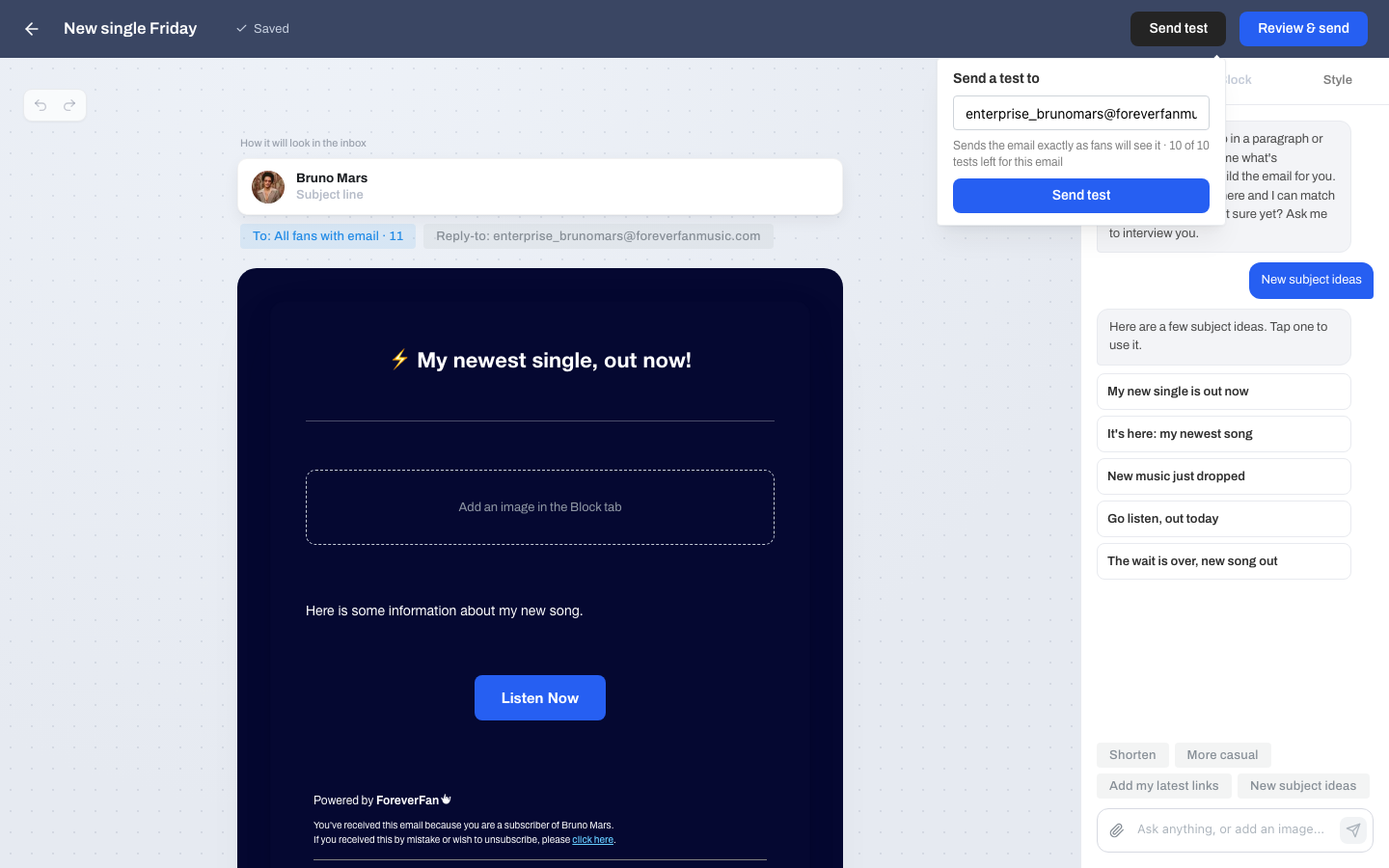
The **Send test** button emails a copy to you so you can see it in a real inbox before fans do. It is prefilled with your own address, and the test looks exactly like what fans will get. This is the quickest way to catch a broken image or odd spacing.
You can send up to **10 tests per email**.
## Send now or schedule
When you choose **Review & send**, you pick the timing:
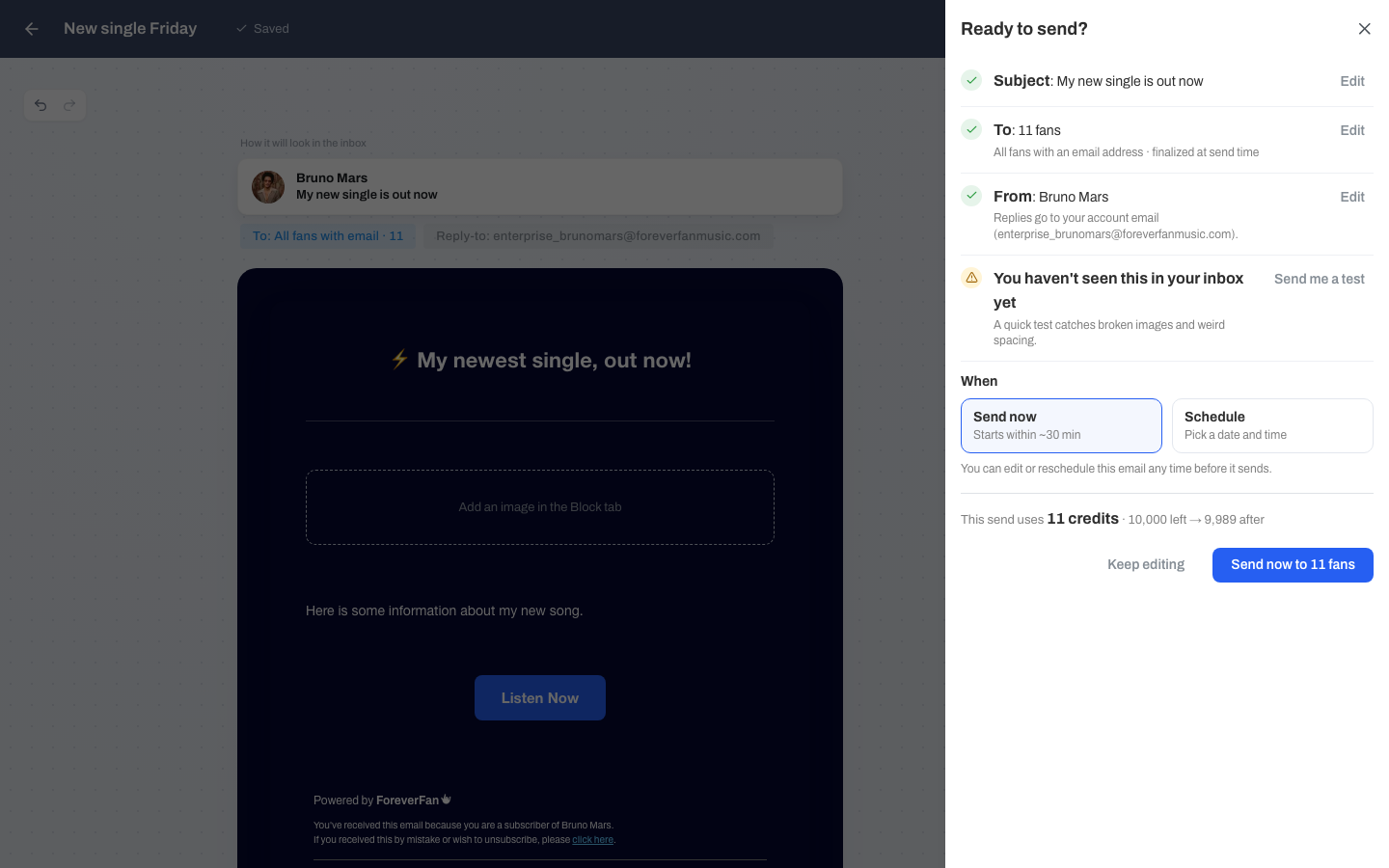
* **Send now.** The email goes out within about 30 minutes.
* **Schedule.** Pick a date and time. You can schedule up to **180 days** ahead, in 30-minute steps, in your own timezone.
## The review sheet
The review sheet is a last check before anything sends. It lays out:
* The **subject** line.
* **To**, meaning how many fans will get it.
* **From** and your reply-to.
* A nudge to send yourself a test if you have not.
* **When** it will send.
* A **credits** line showing how many this send uses and what you will have left.
Every row is editable right there. If something looks off, fix it before you send.
{% hint style="warning" %}
Set a reply-to address you actually check. If you leave it blank, fans cannot reply to you, and any replies they try to send go nowhere you can see. Use an inbox you read so you never miss a fan writing back.
{% endhint %}
## Scheduled emails stay editable
A scheduled email is never locked. Any time before it goes out, you can open it and:
* **Edit** the content or audience.
* **Reschedule** it to a different time.
* **Send now** instead of waiting.
* **Cancel** the send. It stays on your list as a record.
Once an email actually starts sending, the only option left is to cancel it if it has not gone out yet.
## After it sends
Once your email is out, its row shows how it did. See what the numbers mean.
{% content-ref url="/pages/1Z91TPhk2UzyXl3K2dF2" %}
[Email Reports](/email-campaigns/email-reports.md)
{% endcontent-ref %}