> For the complete documentation index, see [llms.txt](https://help.foreverfanmusic.com/llms.txt). Markdown versions of documentation pages are available by appending `.md` to page URLs; this page is available as [Markdown](https://help.foreverfanmusic.com/links/collecting-fan-data.md).
# Collecting Fan Data
Set up the form that collects a fan's details on funnel, poll, and presave links.
Funnel links, poll links, and forever presave links can all ask a fan for their details. The setup is the same on each, and it lives on the **Data Collection** tab. This page walks through it once.
## Turn it on
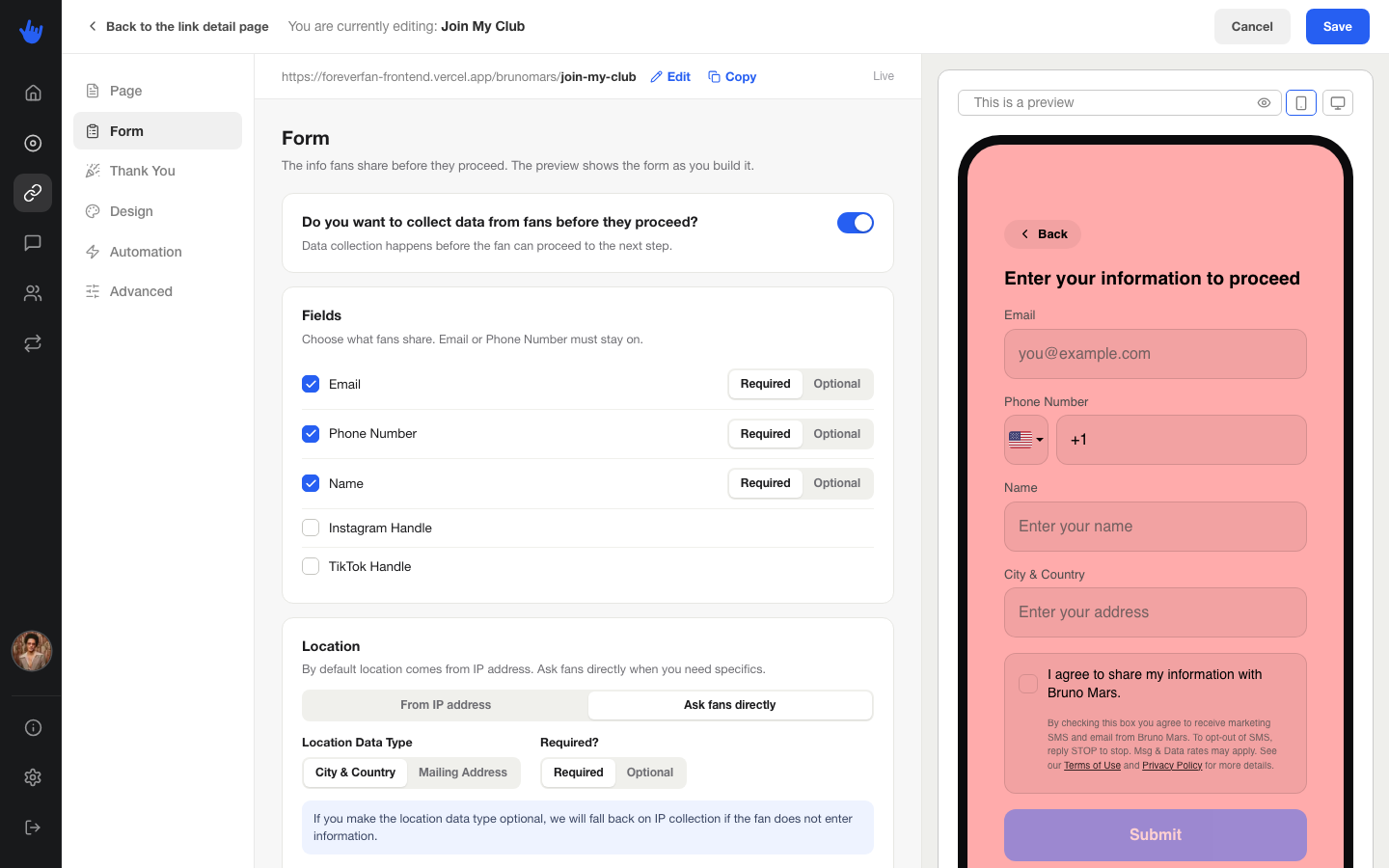
At the top of the tab is a master toggle, **Collect data from fans**. With it off, the link does not ask for anything. Turn it on and the rest of the settings appear.
## Choose what to ask for
You pick which details to collect from a short list. For each one you turn on, you also decide whether it is **required** or **optional** for the fan:
* **Email**
* **Phone Number**
* **Name**
* **Instagram Handle**
* **TikTok Handle**
You need to collect at least one of email or phone, since those are how you reach a fan later. Keep the form short. The fewer things you ask for, the more fans finish it.
## Location
You can also learn where a fan is:
* **From IP address**: ForeverFan works out their rough location on its own, without asking. The fan does nothing.
* **Ask fans directly**: the form asks the fan where they are. You choose between just their **city and country**, or a full **mailing address** if you plan to send something physical.
## The form's words
You set the copy on the form itself:
* **Form Title**: the heading on the form.
* **Form Subtext**: a line under it explaining why you are asking.
* **Submit Button Text**: what the button says, like "Count me in."
## The Thank You step
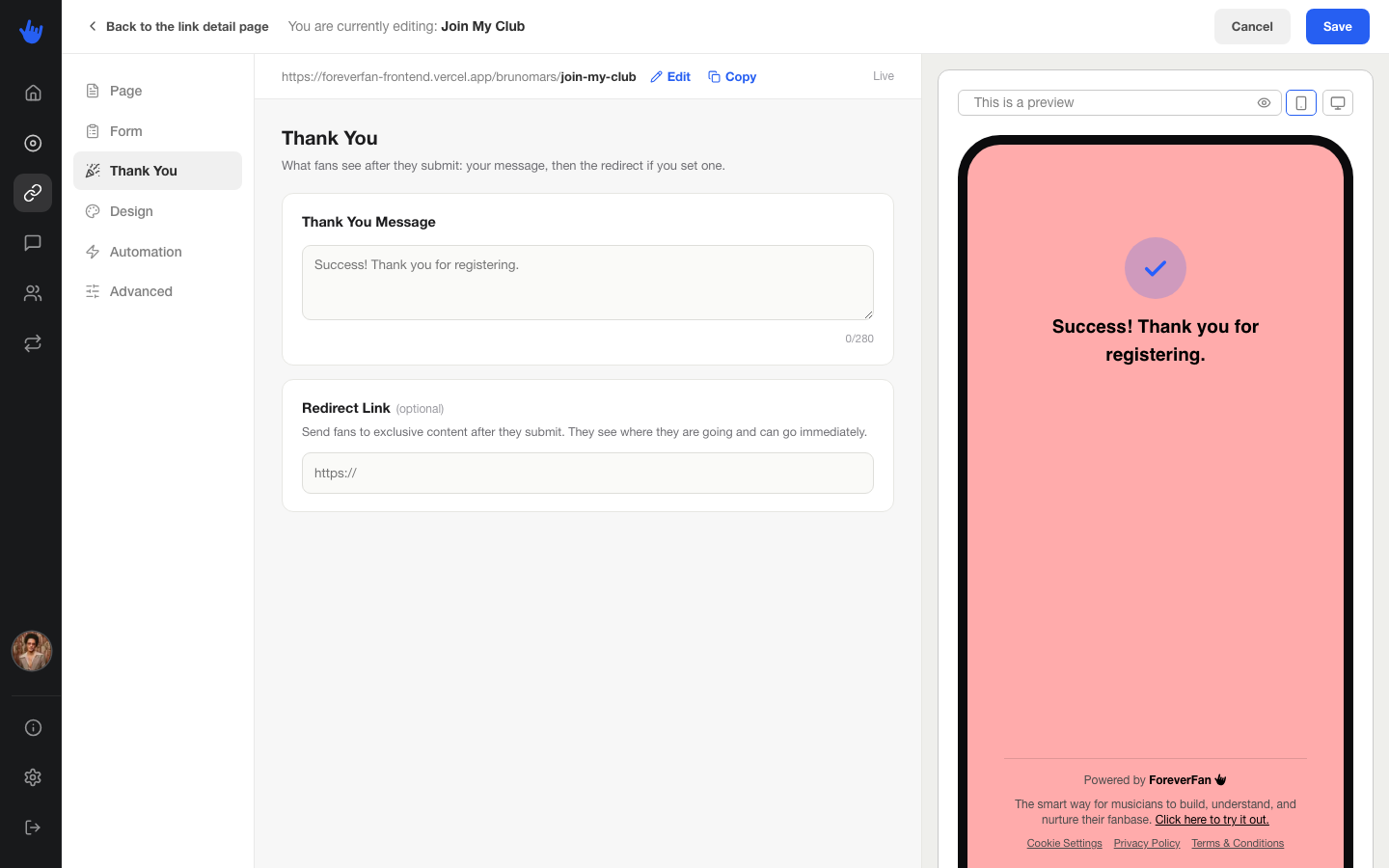
After a fan submits, they hit the **Thank You** step. You write a short thank-you message here, up to 280 characters.
You can also set an optional **redirect** on this step: a URL the fan lands on right after they submit. On a funnel link this is where you deliver the goods, like a download or a Discord invite. Leave it blank and the fan simply sees your thank-you message.
## What fans see
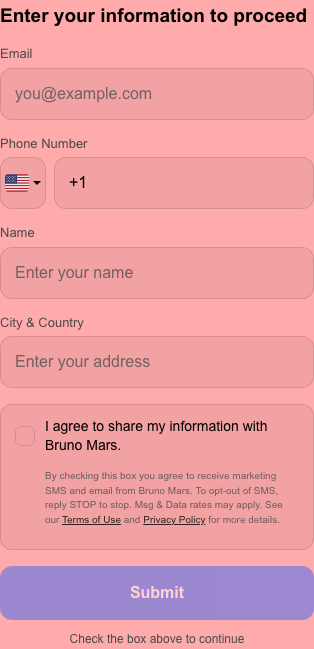
When a fan hits your form, they see the title and subtext you wrote, the fields you asked for, and a checkbox they need to tick to continue. The checkbox reads:
> I agree to share my information with {your artist name}.
Under it is the fine print that keeps you compliant:
> By checking this box you agree to receive marketing SMS and email from {your artist name}. To opt-out of SMS, reply STOP to stop. Msg & Data rates may apply.
It also links to the Terms and Privacy Policy. A fan has to tick the box before they can submit, so everyone in your audience has agreed to hear from you.
Once they submit, they see your thank-you message, or go straight to your redirect if you set one.