> For the complete documentation index, see [llms.txt](https://help.foreverfanmusic.com/llms.txt). Markdown versions of documentation pages are available by appending `.md` to page URLs; this page is available as [Markdown](https://help.foreverfanmusic.com/sequences/building-a-sequence.md).
# Building a Sequence
Build the path with the flow editor: a trigger, email steps, and waits.
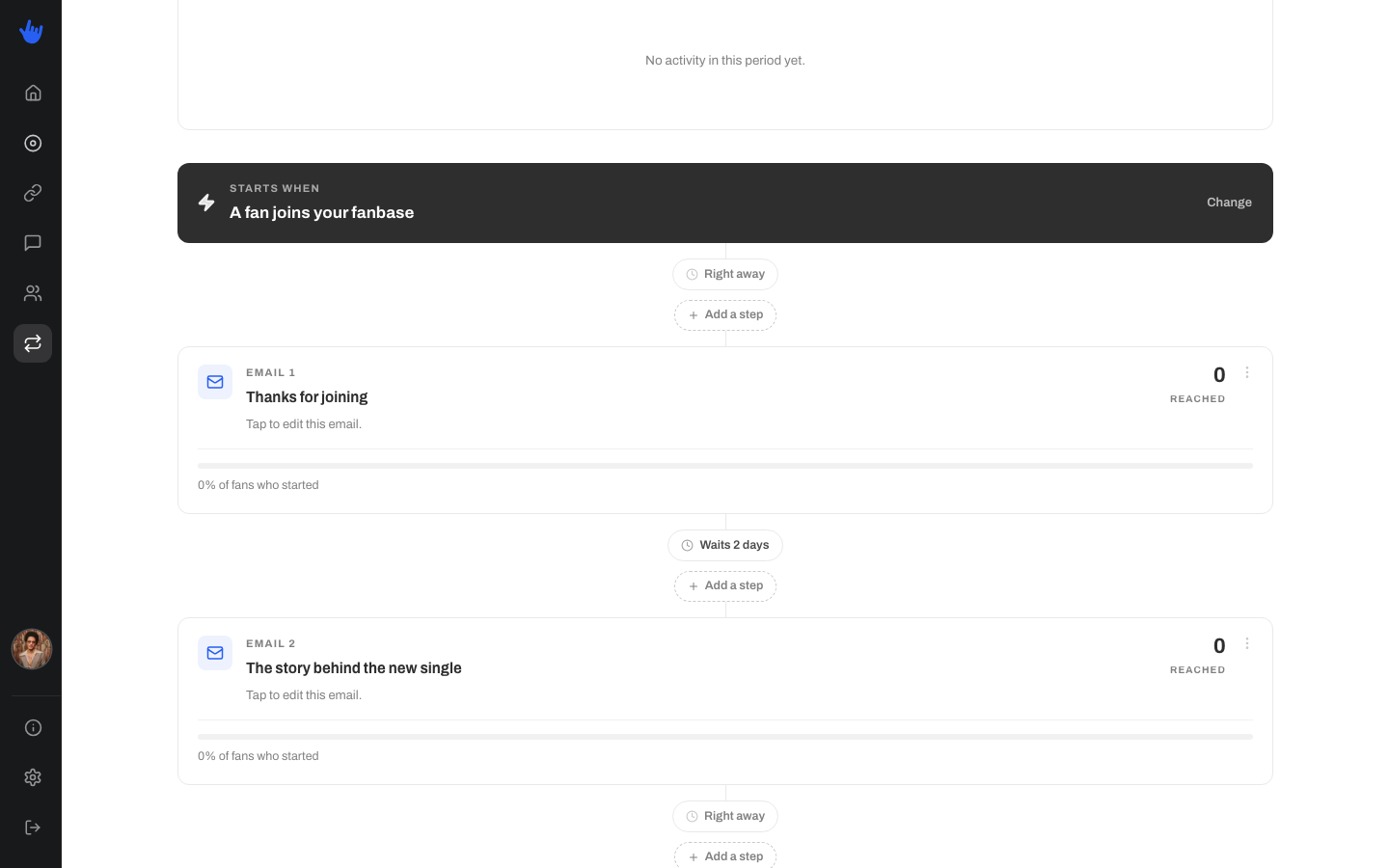
You build a sequence in the flow editor. It lays the whole path out top to bottom so you can see, at a glance, what a fan gets and when. Your work saves as you go.
## Start with the basics
1. **Name it.** Give the sequence a name so you can find it later. You can rename it any time.
2. **Pick a trigger.** Choose what starts a fan down the path: they join your fanbase, they get a tag, or they click a link. See [Sequences](/sequences/sequences.md) for what each trigger does.
3. **Add steps.** Build out the path by adding steps below the trigger.
## The two kinds of step
### An email
An email step sends the fan an email. You build it in the same composer you use for regular email campaigns, so it feels familiar: the same blocks, the same style controls. Each email step has its own **subject line** and **reply-to** address.
One difference from a regular campaign: there is no scheduling on the step itself. An email step does not have a send date. When it goes out is decided by the waits around it, which is the next thing to understand.
### Add a tag
An add-a-tag step attaches a tag to the fan when they reach that point in the path. Tags are just for you, a way to group and organize your fans. Fans never see them. Tagging a fan partway through a sequence is a handy way to mark who has reached a certain point.
## Waits set the timing
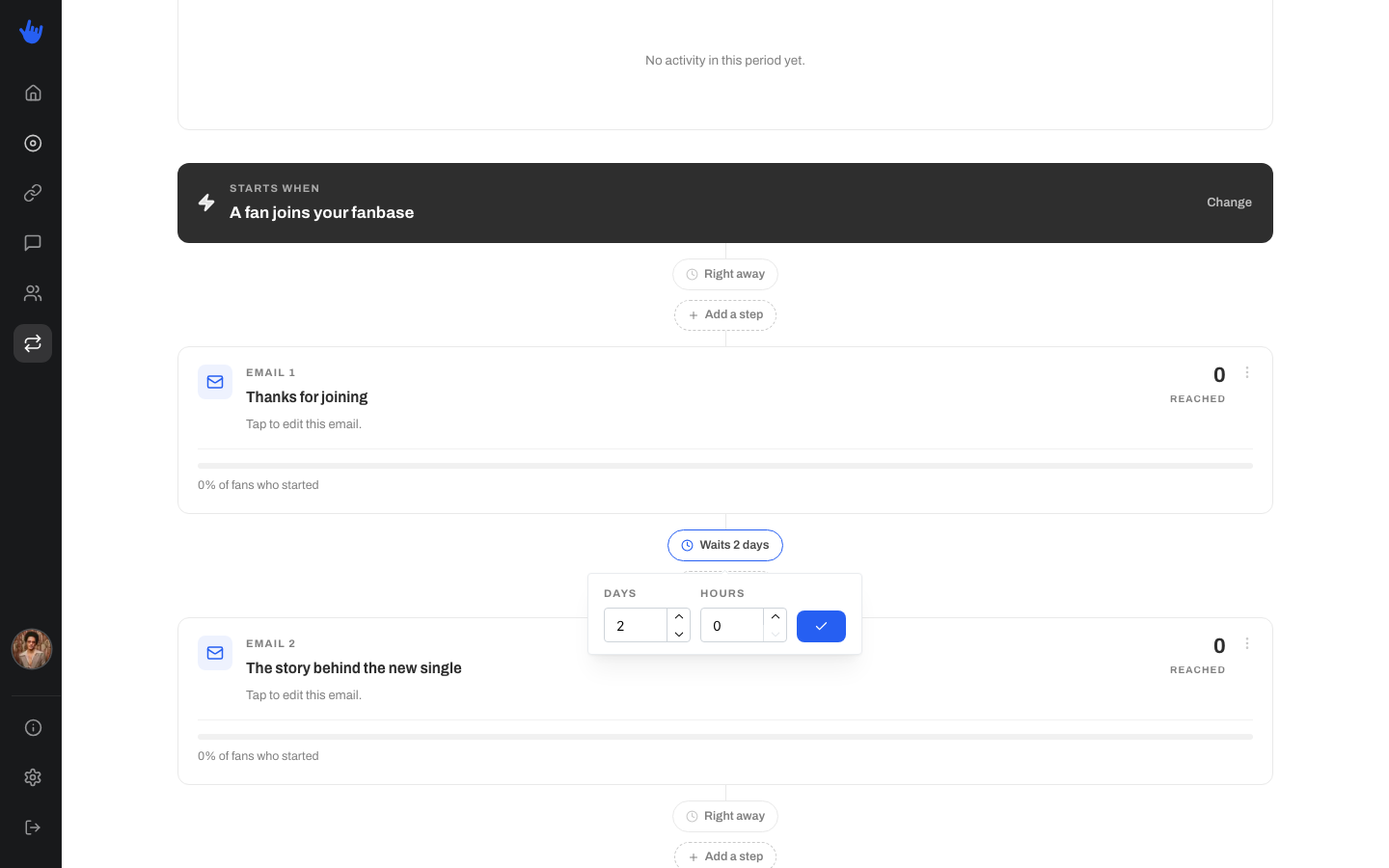
The gaps between steps are where timing lives. A wait sits on the connector between two steps and holds the fan there before moving them on. You set a wait in **days** and **hours**. Set both to zero and the next step happens **right away**.
So a welcome sequence might send the first email right away, then wait two days, then send the next one. The waits are how you pace things out instead of hitting a fan with everything at once.
## Pausing and archiving
* **Pause** a sequence to stop it running for new fans while you rework it. Flip it back to active when you are ready and it picks back up. Fans already partway through are unaffected.
* **Archive** a sequence when you are done with it for good. An archived sequence is read-only, and its history is kept so you can still look back at how it did.
## Reading the stats
The flow page shows how the sequence is performing:
* **Started**: how many fans have entered the sequence.
* **Completed**: how many have reached the end.
* **Completion rate**: the share of fans who finished.
* **Emails sent**: how many emails the sequence has sent in total.
For a full worked example, see the [Welcome Sequence](/sequences/welcome-sequence.md) walkthrough.