> For the complete documentation index, see [llms.txt](https://help.foreverfanmusic.com/llms.txt). Markdown versions of documentation pages are available by appending `.md` to page URLs; this page is available as [Markdown](https://help.foreverfanmusic.com/your-audience/audience.md).
# Your Audience
Every fan you have ever collected, in one place, with the tools to find and message any group of them.
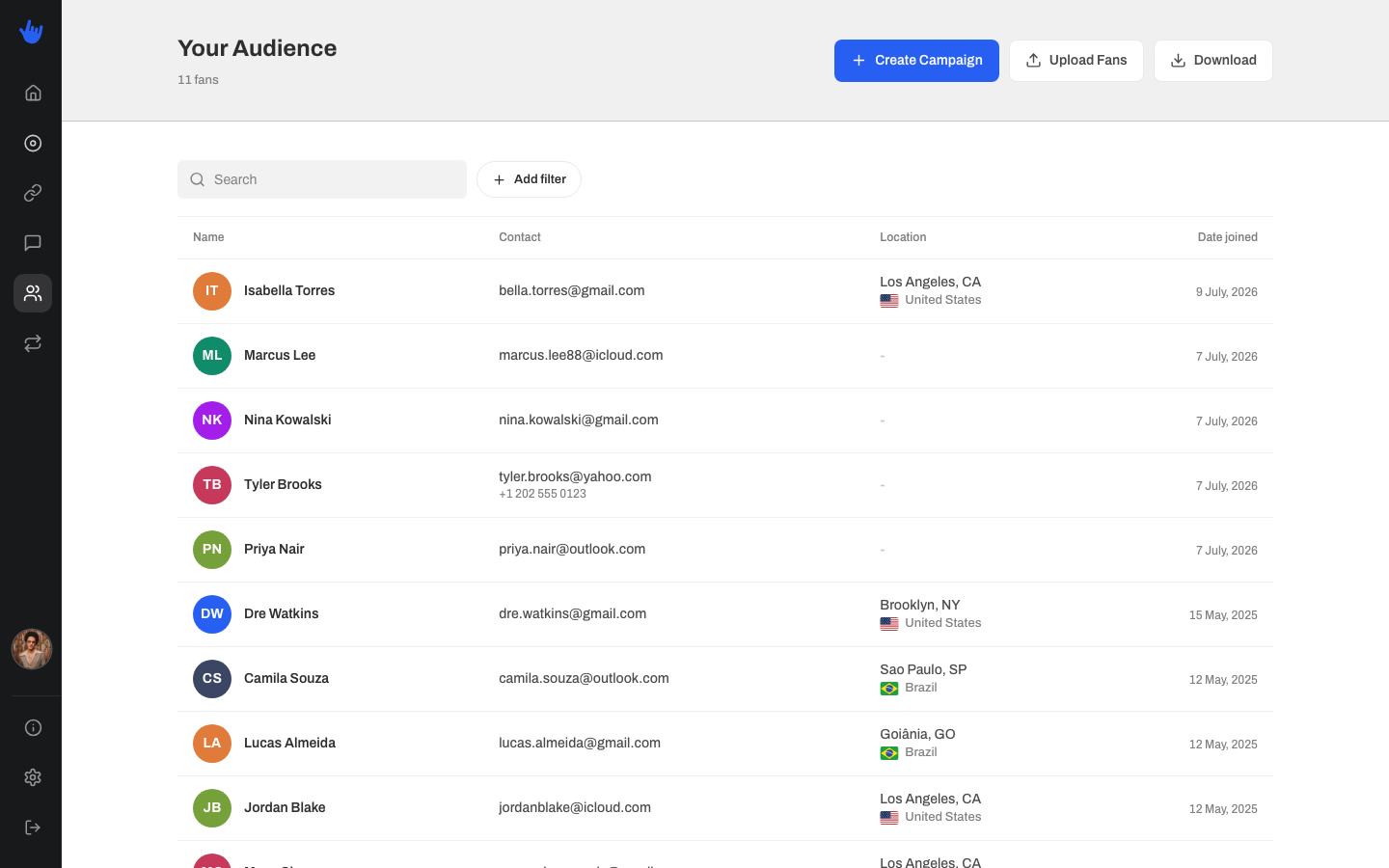
Your Audience is the home for every fan who has ever shared their details through one of your links. When someone enters their email or phone on a funnel, votes in a poll, RSVPs to a show, or presaves a release, they land here. One table, always up to date, newest fans first.
## What the table shows
Each fan is one row, with four columns:
* **Name**: the fan's name if you have it. If not, it falls back to their email, then their phone, then "Anonymous User" so every fan still has a label.
* **Contact**: their email and phone number, whichever they gave you.
* **Location**: city and region plus country, when it was collected.
* **Date joined**: the day they first shared their details with you.
The table shows 10 fans per page. Click any row to open that fan's full profile in a drawer on the right.
{% hint style="info" %}
Browsing past the first page of fans is part of a paid plan. On the free plan you can see your 10 most recent fans.
{% endhint %}
## The fan drawer
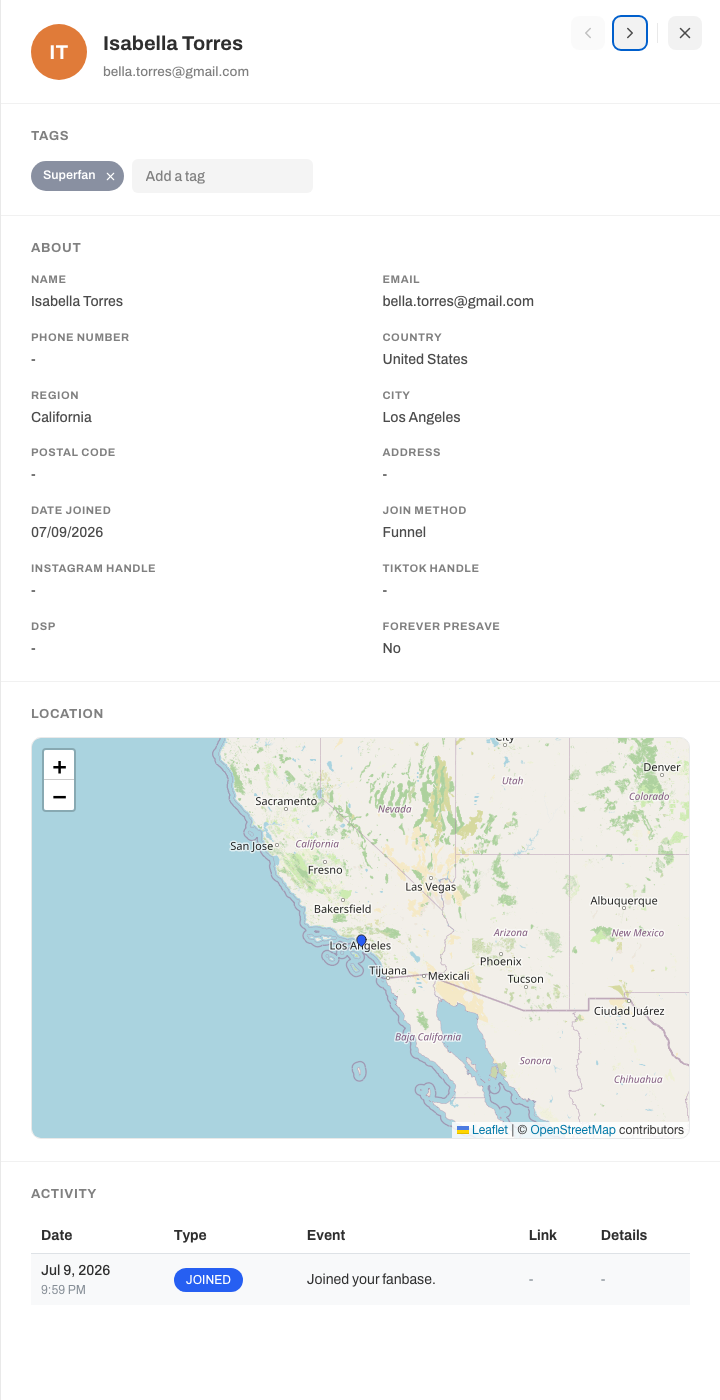
Click a fan and a panel slides in with everything you know about them. Sections with no data quietly hide themselves, so you only see what is actually there.
* **Tags**: the labels you have put on this fan. Add or remove them right here. See [Tags](/your-audience/tags.md) for what tags do.
* **About**: their details: name, email, phone, and location (country, region, city, postal code, address), plus the date they joined and how they first joined you.
* **Location**: a small map pin, shown when you have their coordinates.
* **Activity**: a timeline of what this fan has done: emails and texts you sent them, polls they voted in, the day they joined, and more.
* **Poll Activity**: a clean list of every poll this fan voted in and what they picked, with a link back to the poll.
## Find a group, then message them
The real power of your audience is narrowing it down. Use the filter bar to build any group you want: fans in one city, fans who opened your last email, fans who RSVPed to a show. The table updates live as you filter, and the count at the top always tells you how many fans match.
Once you have the group you want, click **Create Campaign** to start an email to exactly those fans. Your filters come along with you, so the email is already aimed at the right people.
{% hint style="info" %}
Uploading fans, downloading fans, and creating a campaign are part of a paid plan.
{% endhint %}
To learn each filter and how to draw an area on the map, see [Filters and the map](/your-audience/filters-and-the-map.md). To bring in fans you collected elsewhere, see [Importing fans](/your-audience/importing-fans.md).