> For the complete documentation index, see [llms.txt](https://help.foreverfanmusic.com/llms.txt). Markdown versions of documentation pages are available by appending `.md` to page URLs; this page is available as [Markdown](https://help.foreverfanmusic.com/your-mini-site/content-blocks.md).
# Content Blocks
Build the body of your mini-site with sections and content blocks.
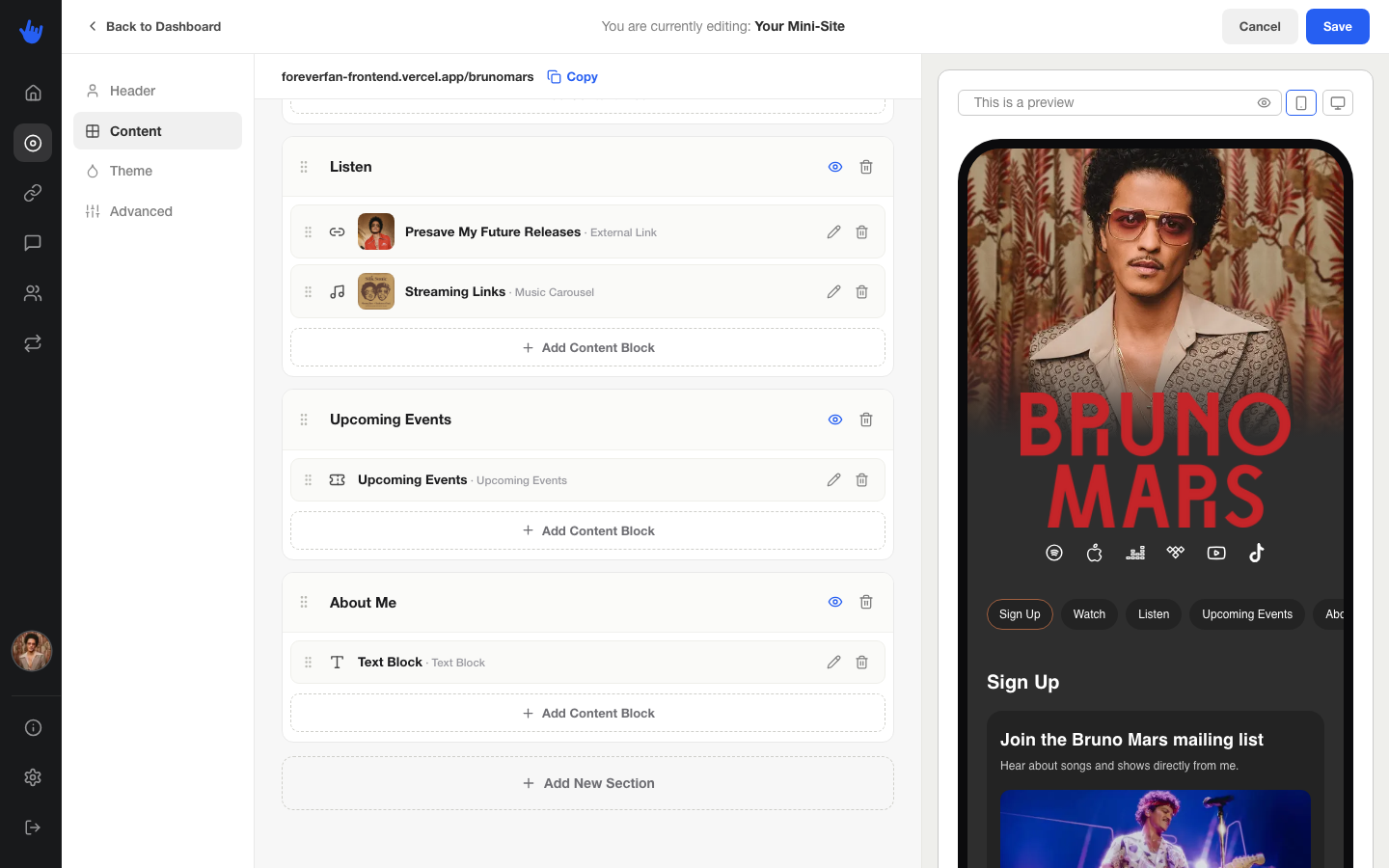
Everything below your header lives on the **Content** tab. This is where you build out the body of your mini-site with sections and blocks. Open the mini-site editor and pick the **Content** tab.
## How sections work
Your page body is made of **sections**, and each section holds one or more **blocks**. Think of a section as a group, like "Music" or "Shows," and the blocks as the things inside it.
For each section you can:
* **Add** a new one.
* **Reorder** them by dragging.
* **Rename** the section by editing its title inline.
* **Show or hide the title** with the eye toggle, so a section can run without a visible heading.
* **Delete** it (you'll be asked to confirm).
Blocks work the same way. Drag them to reorder inside a section, or drag them from one section into another. Tap a block to edit it in a small pop-up, or delete it.
Whether section titles show up at all on your live page, and whether fans get tab navigation between sections, is set over on the [Theme tab](/your-mini-site/design-and-themes.md).
## The blocks you can add
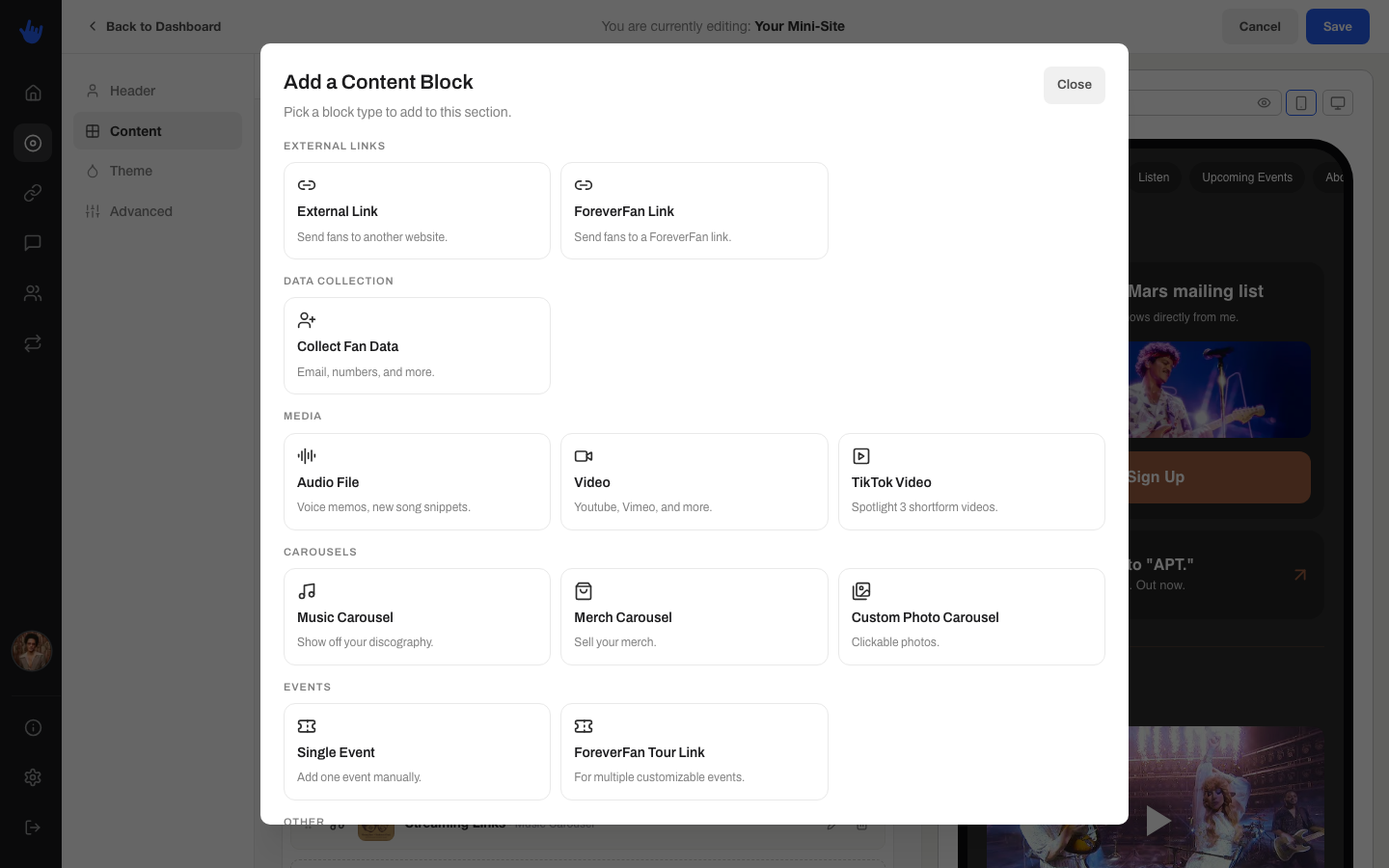
Tap **Add block** and you'll see the picker, grouped by what each block does. There are 13 to choose from.
### External links
* **External Link** sends fans to any URL you want. Fields: Title, Subtext, Link URL, and an image.
* **ForeverFan Link** points to one of your own ForeverFan links, so you can drop a presave, funnel, poll, or streaming link right onto your page. You pick which link from a list.
### Data collection
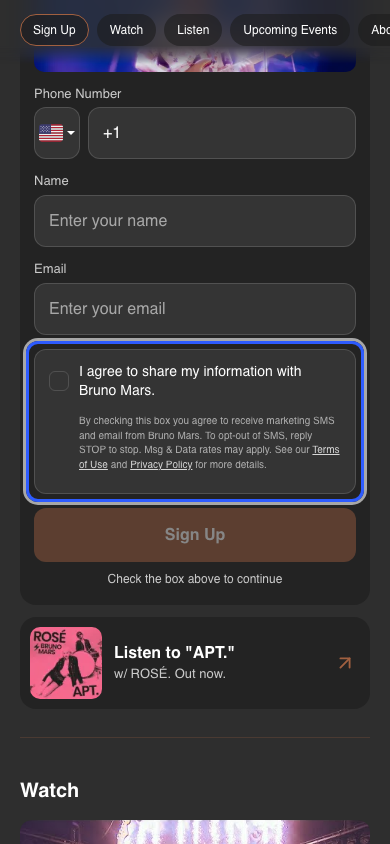
* **Collect Fan Data** is a signup block that gathers fan contact details right on your page. Fields: Title, Subtext, Button Text, and an image, plus a grid where you choose which details to ask for: Email, Phone, Name, Instagram handle, and TikTok handle. Mark each one Required or Optional. See what fans see below.
### Media
* **Audio File** plays a track or voice clip. Paste a SoundCloud or YouTube URL, or upload a file.
* **Video** embeds a video. Paste a YouTube or Vimeo link.
* **TikTok Video** spotlights up to three short-form videos. Paste three TikTok or Reels links, and you can add a play count to each if you want.
### Carousels
* **Music Carousel** is a scrollable row of releases. Each item has a release name, year, link, and cover art. Good for showing off a discography.
* **Merch Carousel** shows off products. Each item has a name, a price with a currency (USD, GBP, CAD, AUD, or EUR), a purchase link, and a photo.
* **Custom Photo Carousel** is a scrollable row of clickable images. Each item has a title, subtext, link, and photo.
### Events
* **Single Event** promotes one show. Fields: location, venue or title, date and time, and a ticket link.
* **ForeverFan Tour Link** points to one of your existing ForeverFan tour links.
{% hint style="info" %}
A ForeverFan Tour Link block does not update on its own as you announce more shows. If you add dates to the tour link later, come back and make sure this block still shows what you want.
{% endhint %}
### Other
* **Textbox** is a plain block of text with a subject and a body. Use it for an announcement, a note, or anything that's just words.
* **BeatStars** embeds a BeatStars Blaze Player. Fields: a Title and your BeatStars URL. The URL has to be a BeatStars player link, which starts with `https://player.beatstars.com/`. If you paste anything else, it won't be accepted.
## What fans see: the Collect Fan Data block
When you add a **Collect Fan Data** block, fans see a signup card on your page with your title, subtext, and button. Tapping it opens the fields you asked for.
Before a fan can submit, they check a **consent box** that reads "I agree to share my information with" and your name, with a line of fine print letting them know they may receive marketing texts and email, that they can reply STOP to opt out, and that message and data rates may apply. There are Terms and Privacy links right there too. This is what keeps the people who sign up as fans who actually agreed to hear from you.
Everyone who signs up lands in your [Audience](/your-audience/audience.md), ready for you to reach out to.